
Frequently Asked Questions
Which operating systems are supported?
Our platform works on all major operating systems, including Windows, macOS, Linux, Chrome OS, Android, iOS, iPadOS, BSD/Unix, and even Raspberry Pi. Any device with a modern browser should work too.
Do the sender and receiver need to be on the same network?
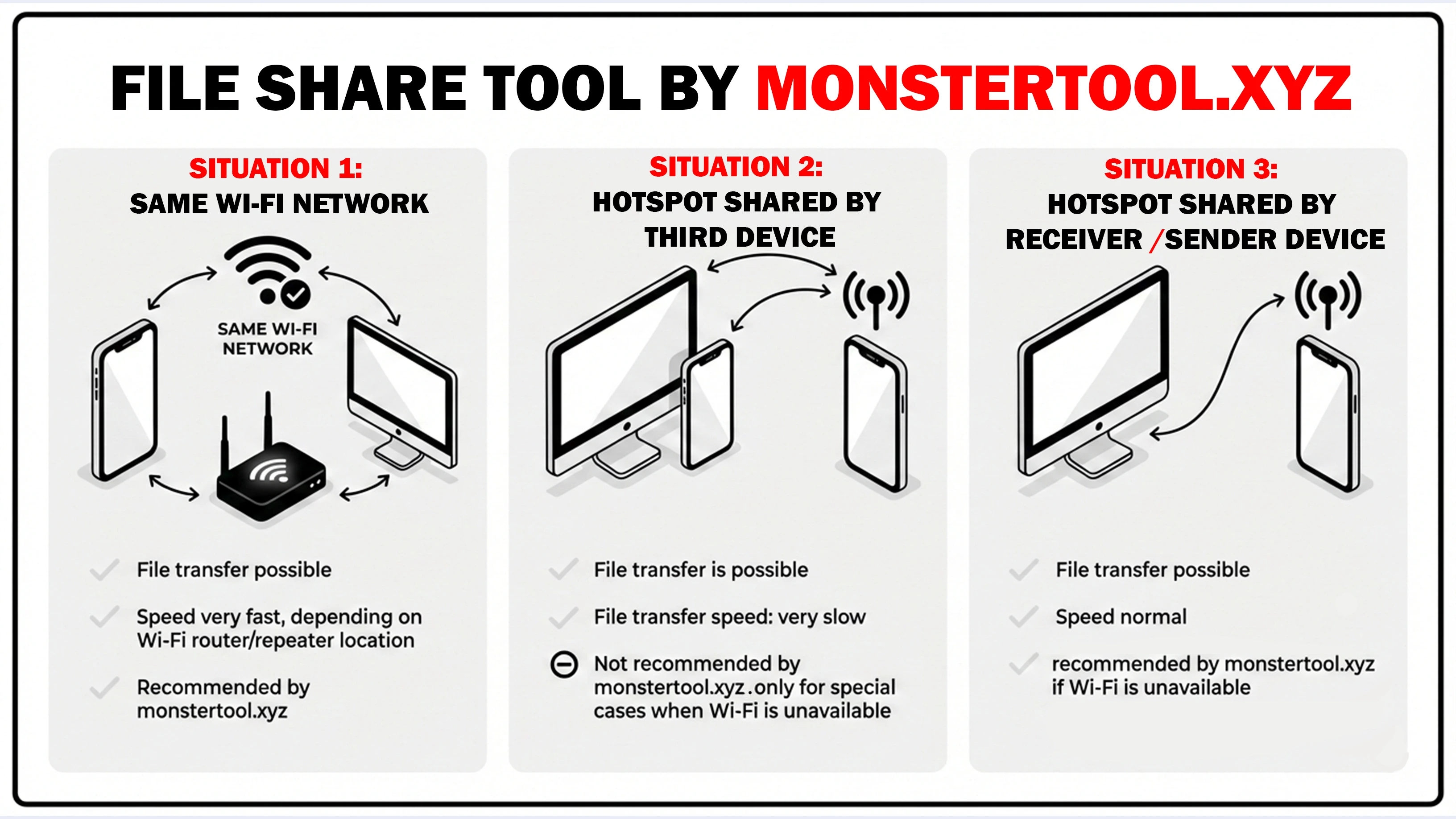
Yes, both devices need to be connected to the same Wi-Fi network or hotspot for quick and secure file transfers.
Do I need to install any software or plugins?
No installation is required. All file transfers happen directly through your browser.
Can I transfer files between different operating systems?
Absolutely! You can transfer files between any supported OS, such as Android to macOS, iOS to Linux, or Raspberry Pi to Windows.
Is there a file size limit?
File size depends on your browser and network speed. For larger files, we recommend using a stable Wi-Fi connection.
How secure is the transfer?
Transfers happen directly between devices on the same network. No files are stored on external servers, keeping your data private and secure.
Can I transfer files to multiple devices at once?
Currently, transfers are one-to-one. To send files to multiple devices, repeat the transfer for each one.
What if my device uses a niche or less common operating system?
As long as your device has a modern web browser, it should work. Compatibility is based on the browser, not the OS.
Can I transfer files without Wi-Fi?
You need a shared network connection for transfers. If Wi-Fi isn’t available, you can use a hotspot.
Do I need an account to use the service?
No account or login is required. Just open the website, connect your devices to the same network, and start transferring files!
Conclusion: How File Transfer Works
To transfer files, both the sender and the receiver must be on the same website URL. Additionally, both devices need to connect to the same Wi-Fi network or hotspot. This ensures fast, secure, and reliable file transfers across all supported operating systems, including Windows, macOS, Linux, Chrome OS, Android, iOS, iPadOS, and BSD/Unix systems, as well as Raspberry Pi devices. Even less common or niche operating systems are supported, provided the device has a modern browser that can handle uploads and downloads. The key requirement is the shared network and website connection, not the operating system itself. With this setup, you can transfer files across different platforms, without needing plugins or software installation, directly through your browser.